Clover Hub Script for Steal an Egg (2026)
Explore Clover Hub Script for Steal an Egg, including egg filters, Persistent Steal, Auto Place, trap protection, setup steps and common fixes. You can also check complete collection of steal an egg script with Axon and Lennon
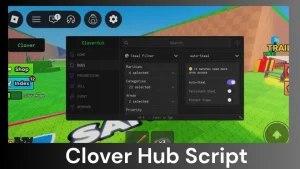
Copy the Clover Hub script for Roblox Steal an Egg. Choose the newer release or the older GitHub version below.
Clover Hub (Newer Release)
loadstring(game:HttpGet("https://cloverhub.app/clover.lua"))()Clover Hub Older GitHub Release
loadstring(game:HttpGet("https://raw.githubusercontent.com/Ryuun0x/Clover/refs/heads/main/main.lua"))()Key information: The newer Clover Hub release uses a key system. The older GitHub version was released without a key step. Features and access requirements may change after updates.
This script gives you more control over which eggs you target and how you collect them. You can use filters to choose eggs by rarity, category, location, and weight.
It also includes options such as Persistent Steal, Prevent Traps, and Auto Place. These tools are useful when you want to focus on selected eggs instead of collecting everything you see.
Script Features
Choose which eggs to target instead of attempting to steal every available egg.
Focus on a selected rarity group. You can skip common eggs when looking for rarer targets.
Limit targets to particular egg categories or parts of the map.
Set a minimum egg weight to exclude targets below your chosen KG value.
Continue stealing attempts using your selected targets and filter settings.
Designed to reduce interruptions from traps. Results may change after game updates.
Automatically handle supported egg placement actions after collecting eggs.
Some builds include extra options for the Rift event when it is active.
How to Use the Script
- Open Steal an Egg. Join the Roblox game and wait for the map to load.
- Copy the script. Choose a loader from the code box above.
- Open your executor. Paste the Lua code into a compatible executor.
- Run the code. Complete the key process if your version requests one.
- Set your filters. Choose the rarity, category, area, or minimum KG value.
- Enable your preferred options. Select Persistent Steal or Auto Place if needed.
How to Set Up Egg Filters
Start with the rarity filter to select the type of eggs you want. You can then set a minimum KG value to skip lighter eggs.
Use the area filter if you want to search in a particular part of the map. Combining these settings gives you a smaller list of matching targets.
Tip: If no eggs appear, lower the KG threshold or remove one filter at a time.
Persistent Steal and Auto Place
Handles repeated stealing attempts based on your target settings.
Handles supported placement actions for collected eggs.
You can enable either option separately. If using both, check that eggs are being selected and placed as expected.
Key System
The newer cloverhub.app loader uses a key system. An earlier GitHub build was described as keyless.
If a key screen appears, follow the instructions shown by your version. Keys may not work across different builds.
Common Problems and Fixes
Wait for the game to load fully, then check your executor for errors. The loader may have changed after an update.
Remove one filter at a time or lower the KG threshold to include more targets.
Your matching targets may no longer be available. Adjust the filters or try another server.
Make sure you have collected an egg and the required placement area is available.
These tools may only appear in supported builds or during an active event.
Another Script to Try
Axon Hub offers egg prediction, advanced filters, Speed Calibration, and Auto Steal.
It may suit you better if you prefer prediction and movement controls over weight-based targeting.
Frequently Asked Questions
Does Clover Hub require a key?
The newer loader uses a key system. An older GitHub build was described as keyless. Requirements may change with updates.
Can I filter eggs by weight?
Yes. The KG threshold lets you exclude eggs below your selected weight.
What does Persistent Steal do?
It is designed to repeat stealing attempts using your selected targets and settings.
Why are no eggs showing?
Your filters may exclude the eggs currently available. Try reducing the KG threshold or changing the selected rarity.
Does it include Rift event features?
Some builds include Rift tools. Their availability depends on the version and active game event.